Adding Principal Card
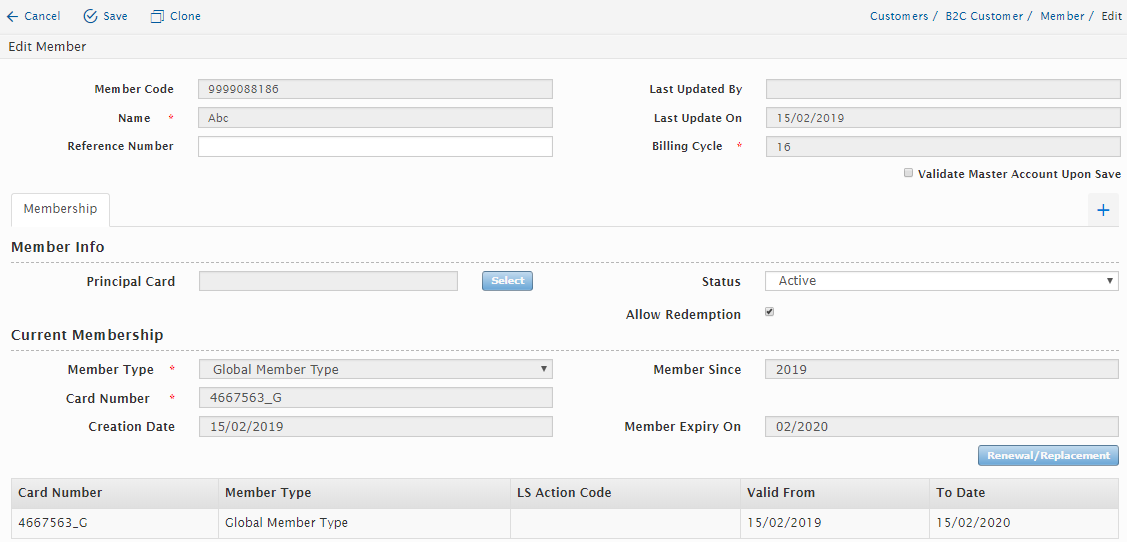
Users with access rights are able to link a member card to a principal card. Users can add a principal card by clicking on “Select” button under the Membership tab as shown below:
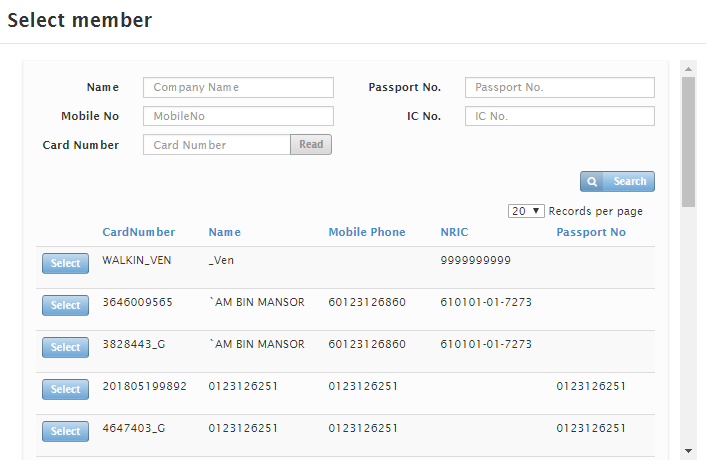
A new window will appear as shown below. The users can search for the Principal card by using Name, Passport No, Mobile No, IC No or by the Card No. Click on the “Select” button to select the member. The principal card will now be added.
To remove the Principal card, click on the “Remove” button under Membership tab.

Created with the Personal Edition of HelpNDoc: Free help authoring environment